
25 skill folders
skills/ and dist/
Each skill has a SKILL.md with the procedure, output templates, checklists, small Python checks, and eval test cases. Also as one zip per skill, for tools that upload skills as a zip.
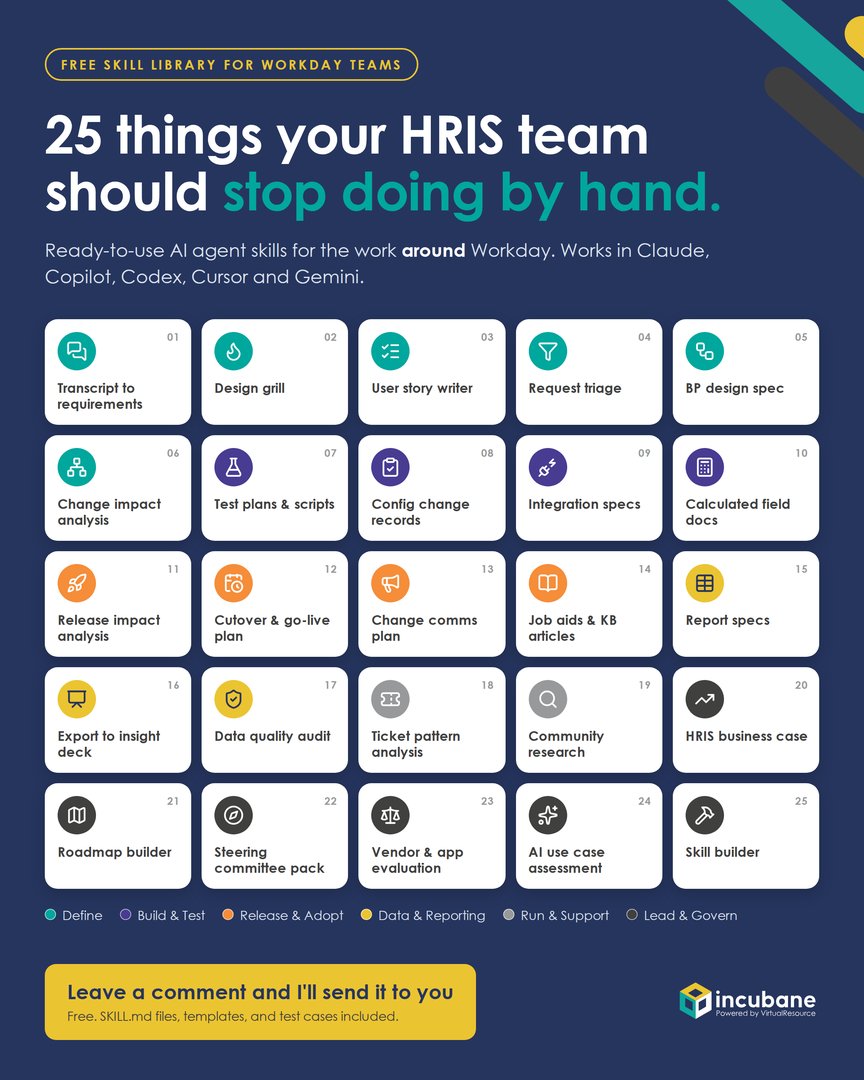
Ready-to-use AI agent skills for the work around Workday: requirements, design reviews, test scripts, release analysis, data quality, and business cases. One zip with everything you need.
Provided as is, without warranty, under CC BY 4.0. By downloading you accept the terms in DISCLAIMER.md in the kit. Skills produce drafts for a qualified person to review; nothing in the kit is legal or data protection advice.
Built on the open Agent Skills standard. Works in
What is in the zip
A skill is a folder with a SKILL.md file that teaches an AI agent how your team does a specific job. The agent loads it only when the task matches, follows the steps, checks its own work, and hands over a finished draft in your house format.
skills/ and dist/
Each skill has a SKILL.md with the procedure, output templates, checklists, small Python checks, and eval test cases. Also as one zip per skill, for tools that upload skills as a zip.
HRIS_Team_Skill_Library_Overview.xlsx
Start here. Explains agents and skills in plain language, and lists every skill with when to use it, example prompts and role bundles.
samples/
A workshop transcript, ticket export, release notes and more to practise on. No real data.
hooks/ and scripts/clear_file.py
A Claude Code hook that runs outside the model and blocks data files until you clear them, plus the script that checks a file for personal data first.
hris-context-template.md
Fill it in once with your modules, naming conventions and tools, so every skill knows your setup.
README.md, PRIVACY-AND-GUARDRAILS.md, DISCLAIMER.md
Install steps per tool, how the data protection layers work and where they stop, the house rules to adapt skills, and the license and terms of use.
The 25 skills
These skills do not configure Workday. They take on the work around it that eats your week, in six categories that follow the life of a change.
01Define
02Build & Test
03Release & Adopt
04Data & Reporting
05Run & Support
06Lead & Govern
Start in 15 minutes
Copy hris-context-template.md into your workspace and describe your modules, naming conventions and tools. No personal data.
Start with Transcript to requirements, Release impact analysis and Workday design grill. The README has the steps per tool.
Run each skill on the synthetic files in samples/ first. Before an agent reads a real file, clear it yourself with scripts/clear_file.py.
Skills are the first step. We help Workday customers build agent-ready HRIS teams: Phase 0 agent readiness, agents live in your tenant, Workday Extend apps, and hands-on capability building so your team owns the result.
